Placed in: Home arrow Programming arrow CSS arrow CSS3 quickie: The Facebook loading animation
CSS3 quickie: The Facebook loading animation

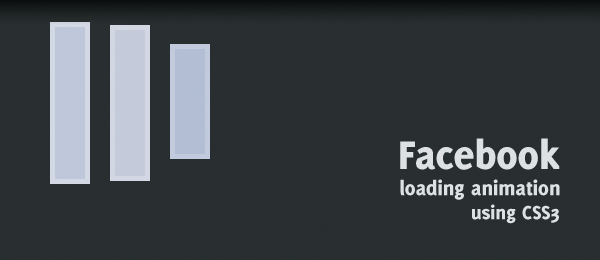
After the couple of jQuery Quickies that have been placed online on this website, I today present you a CSS3 quickie. Just a short walkthrough to create a simple effect, to learn some basic stuff. In this case, we're recreating the Facebook loading animation using CSS3 animations. I'm pretty sure that you've seen the animation before, if you're a Facebook user.

Facebook loading animation

We're using CSS3 keyframes to create the desired effect. We'll be using prefix free from @LeaVerou to use unprefixed CSS3 properties.

Demo Facebook loading animation   Download Facebook loading animation

Take note this example only works properly in browser that support the keyframes property. I've tested this script and verified that it's working in the latest versions of Firefox, Chrome and Safari.

The source

The source code for this animation is actually pretty simple. I've added comments to make things clear.

HTML

 
<!-- Facebook Loader -->
<div class="loader">
    <div class="bar"></div>
    <div class="bar"></div>
    <div class="bar"></div>
</div>
 
/* FACEBOOK LOADER */
.loader { width:32px; height:32px; }
 
/* Initial state */
.bar {
    background-color:#99aaca; border:1px solid #96a6c9; float:left;
    margin-right:4px; margin-top:6px; width:6px; height:18px;
    
    /* Set the animation properties */
    animation-duration: 1s;
    animation-iteration-count: infinite;
    animation-name: loadingbar;
}
 
/* Delay both the second and third bar at the start */
.loader .bar:nth-child(2) { animation-delay: 0.1s; }
.loader .bar:nth-child(3) { animation-delay: 0.2s; }
 
/* The actual animation */
@keyframes loadingbar {
     0% { }
    10% { margin-top:5px; height:22px; border-color:#d1d8e6; background-color:#bac5db; }
    20% { margin-top:0px; height:32px; border-color:#d1d7e2; background-color:#c6ccda; }
    30% { margin-top:1px; height:30px; border-color:#d1d8e6; background-color:#bac5db; }
    40% { margin-top:3px; height:26px; }
    50% { margin-top:5px; height:22px; }
    60% { margin-top:6px; height:18px; }
    70% { }
    /* Missing frames will cause the extra delay */
    100% { }
}

CSS

That's all we need! Take note the example uses Prefix free to use unprefixed CSS3 properties, otherwise you would have added prefixes like -webkit-, -moz- etc.

Conclusion & Download

Although I can't find out the specific framerate/speed, I think this animation is pretty cool. Could you make it any better (example: Use less/no extra HTML elements, think about using pseudo elements)?

Demo Facebook loading animation   Download Facebook loading animation

I hope you learned a little bit more from this CSS3 quickie!


Tags:  facebook css3 animation keyframes simple

Interested in this topic? You might enjoy another article I've written called

Did you like this article? Subscribe to my feed or email to keep updated on new articles.

Spread the word and submit to:
Digg!Reddit!Del.icio.us!Facebook!StumbleUpon!
Comments
Add NewSearchRSS
Asa - Web Resources   2012-02-20 10:53:20
Gravatar image Nice, but it will be a few years before this will replace an animated gif in production.

It's good to see the possibilities for use of CSS3 in the future though.
@ShuyithoKruz - CEO   2012-02-25 12:17:38
Gravatar image Super ko0ol... thanx
Logo Desogn - hello   2012-02-28 06:33:27
Gravatar image This is very good to see this tutorial here, which will gonna very useful, thanks for share :)
John - PsdDude   2012-02-29 17:35:37
Gravatar image :idea: very interesting, thanks for sharing!
Kevin   2012-03-08 09:33:46
Gravatar image CSS3 definitely rocks! :) Thank you for sharing these codes. I will definitely implement it!
oyun - oyun, oyun oyna, oyunlar   2012-03-15 15:06:06
Gravatar image css means POWERRRR :D
webmate - webmate   2012-03-19 22:38:37
Gravatar image css3 rules
webmate - webmate   2012-03-19 22:39:21
Gravatar image nice one!!!
BadazxJevon - >>   2012-03-22 16:16:43
Gravatar image It dont fucking work at mii school :evil:
Sajal   2012-03-24 18:33:31
Gravatar image I like the codes and the animation to apply on facebook. Seems to be quite helpful to me. Thanks.
Kat Helms - That's way cool   2012-03-29 02:26:06
Gravatar image I haven't been up on CSS in the last couple years - I find that to be really awesome.

I can see that the power in this isn't in replacing animated gifs - but instead, think of how you can have the equivalent of dynamically created animated gifs.

My only question on this is - how many of these can I have on a page before it starts to slow everything down?
ddmagstuff - great useful resources   2012-04-16 15:43:08
Gravatar image Great collection of very information and resources.I am very thanks for such an great useful resources.This resources are very useful for all users.
Thanks
Mobile Themes World - Nice Tutorial   2012-04-26 09:34:45
Gravatar image Thanks for sharing this awesome tutorial
Think360studio   2012-04-27 12:02:56
Gravatar image :) Wow!!! Its really amazing. I'll definitly put it in my next project. Thanks for sharing this article and for giving valuable description.
Read more...
Name:
Email:
  Gravatar enabled.
Website:
Title:
UBBCode:
[b] [i] [u] [url] [quote] [code] [img] 
 
 
:angry::0:confused::cheer:B):evil::silly::dry::lol::kiss::D:pinch:
:(:shock::X:side::):P:unsure::woohoo::huh::whistle:;):s
:!::?::idea::arrow:
 
Security Image
Please input the anti-spam code that you can read in the image.
Unsubscribe from e-mail notifications.
 
Next >
Subscribe

7480 readers subscribed here. Subscribe today!