Placed in: Home
Complete list with sweet UI improvements on Windows 7

First things first here: I'm a Mac guy. But I must say: Windows 7 has made quite a lot improvements compared to it's predecessor (Vista). The first time I booted the OS and saw flying orbs create the Windows logo, I was impressed.

I was even more impressed by the amazing user interface improvements made by Microsoft. For those that aren't familiar with these, here's a complete list with sweet UI improvements on Windows 7. Below is the startup screen created by the flying orbs.

Windows 7

A small little diclaimer here: I've fully skipped the "Windows Vista Era", since I moved to Mac OSX right after Windows XP. There might be some things in this list that were already implemented in Vista, but I wasn't aware of those. Also, this list only shows the graphical improvements - not the technical.

That being said, let's check out the slick UI improvements Microsoft brought to their new OS. It could be pretty inspirational for you too!

Aero

Aero has been introduced in Windows Vista, but wasn't very spectecular back than (glossy windows etc.). Now, Microsoft improved it with some really useful features.

Aero Peek
Aero Peek

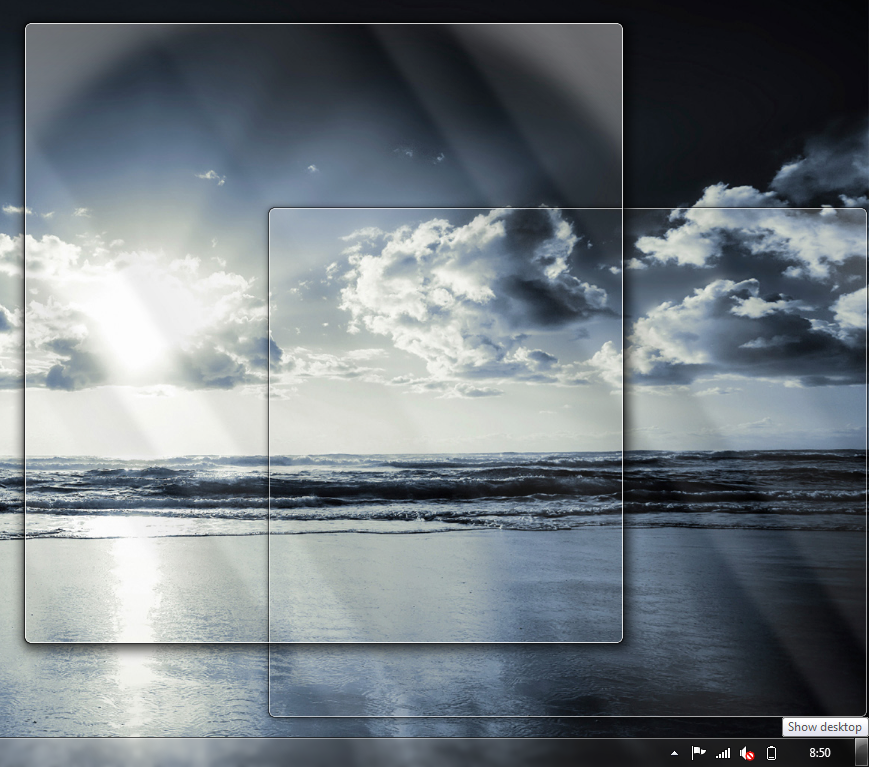
Aero Peek is like the "Show Desktop" button in the previous versions of Windows. But now, at the full right side of your start bar, you can hover this button to take a peek at your desktop before actually viewing it. This peeking also counts for applications that are currently open: Hover them in your start menu and all other programs will fade out. All for easy finding your windows back.

Aero Snap
Aero Snap

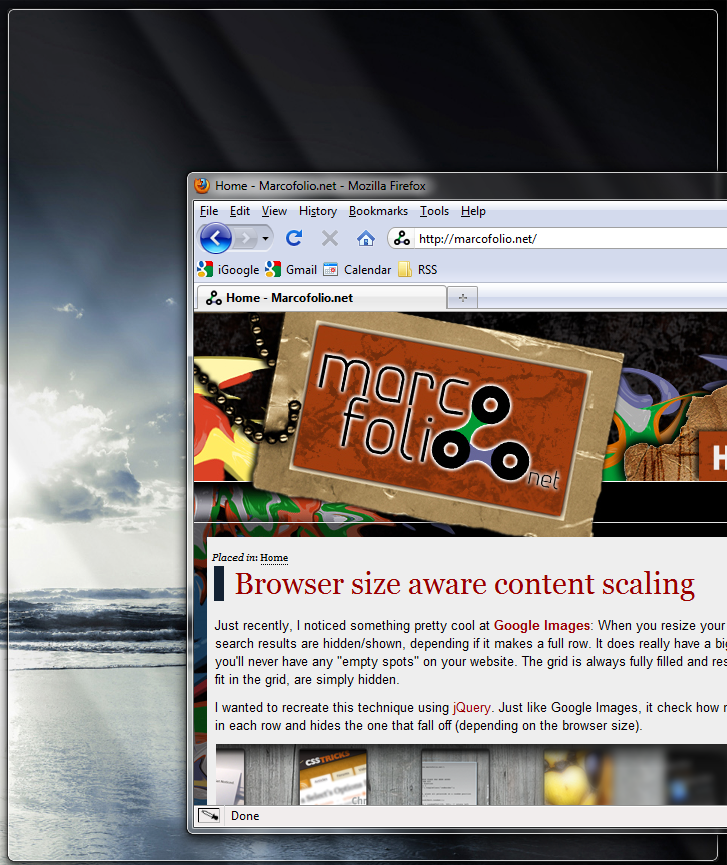
Aero Snap makes it easier for the user to compare two applications with each other. Simply drag an application to the left side of your screen and it will automagically stretch to fit the left half or your screen. Do the same with an other application to compare both!

Or, drag the window to the top of the screen to make it go fullscreen (same as double-clicking the bar). Another great thing is, when you "un-snap", it automatically resized back to the original size.

Aero Shake

I'm pretty sceptical about this one, but could be pretty useful. When you have multiple windows open, you might lose track on what you want to do. Simply select the window you only want to see and shake it (move it fast from left to right a couple of times). All other applications will be send to the dock! Shake again to restore them all.

Calculator
Calculator

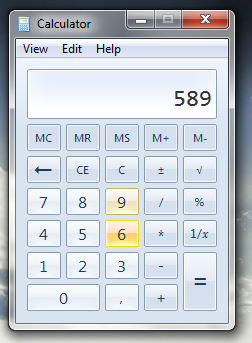
The old-skool calculator is no more. They empowered it with new features, and also the UI has been improved quite a bit. Pretty cool!

Custom Power Button
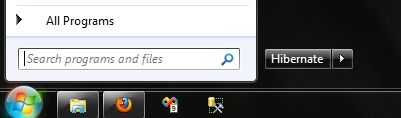
Custom Power Button

Vista changed the way the Power Button (in your start menu) acts from the way XP normally did. In Windows 7, you can customize this to your own needs (Hibernate, Sleep, Shut Down, Log off etc.).

Extended Start Menu
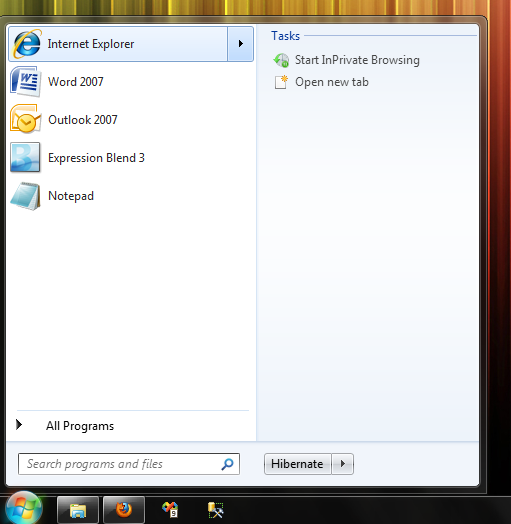
Extended Start Menu

The extended start menu (just like the Jump Lists) need to be programmed by the creator of the application. But when done correctly, it can be really useful to the user. It allows the user to quickly do a commonly used action, open recently used files etc. Sweet!

Jump Lists
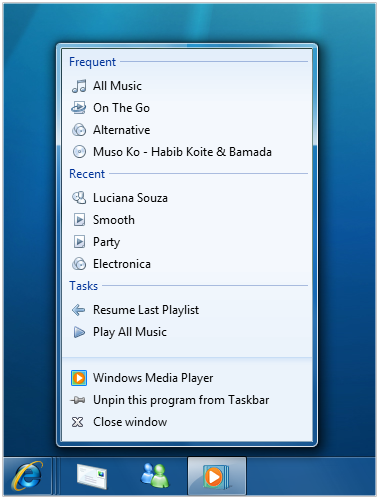
Jump Lists

The Jump Lists can be accessed by selecting the program in the task bar and gives the you same features as the extended start menu options. Great thinking here.

(Custom) Login Screen
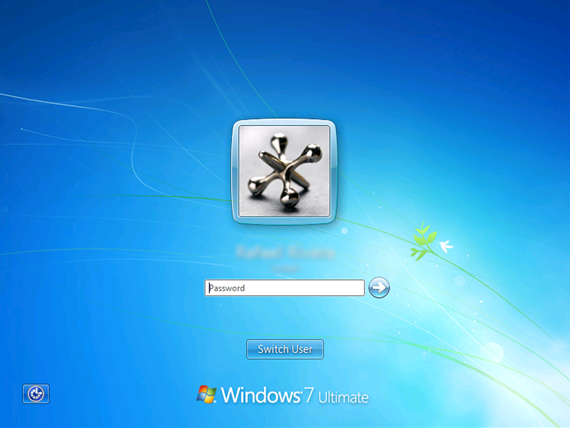
(Custom) Login Screen

Even the login screen in Windows 7 looks very good (by default). But what it makes even cooler, the OS finally supports customizing the background of this login screen (I changed it into the Mac OS Leopard login screen). Read this article on WitInWindows to do it yourself.

Multi Desktop Settings
Multi Desktop Settings

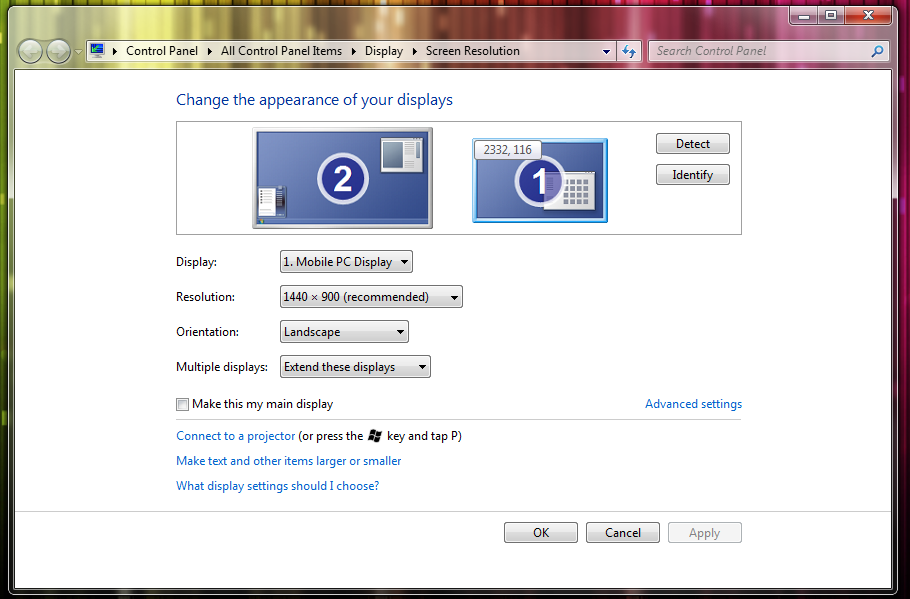
Loads of things from Windows 7 remind me (a lot) to Mac OS. The multi desktop settings is one of them. Although the UI of this screen isn't very impressive, the functionality is. You can drag your second desktop around, identifying is easier etc. This thing just works as you expect it to do.

Multi Touch Support

Windows always had "Single Touch Support", but probably because of OSX, they wanted to support Multi Touch as well. I haven't seen a computer running with multi touch in Windows 7 in real life yet, but (when looking at Microsoft Surface) it must be pretty impressive.

Paint
Paint

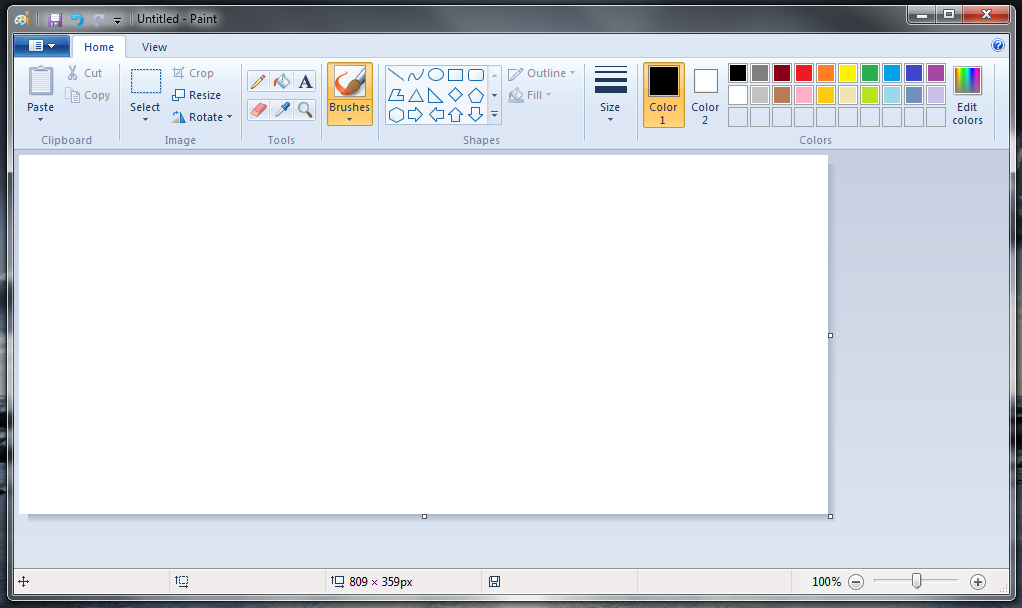
When I first started Paint, I thought I accidentally opened the first program. Brushes? Shapes? Cropping? That isn't part of the Paint application! Well, in Windows 7 it it. Sadly, it still don't work with layers. Still quite the improvement!

Taskbar

The taskbar is one of the things I'm most enthusiastic about. It's way more user friendly (in my opinion) that all the previous versions (maybe because it looks a lot like the dock menu of OSX?). Here are some sweet changes.

Progress Bar
Progress Bar

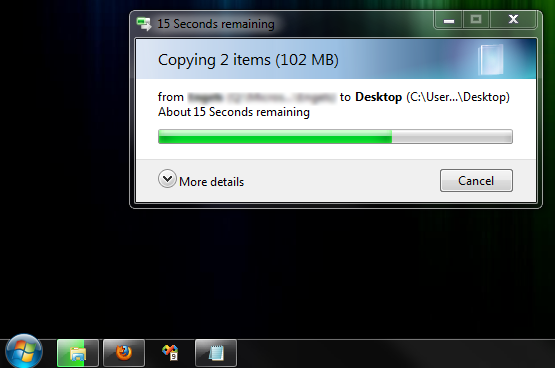
Are you one of those persons that copies a file, does something else and isn't sure if the file copy was complete? We'll, I am. And that's why I was pleased to see the progress bar inside the taskbar. When you do an action that requires time, the icon in your taskbar will also show the status. This means, all you have to do is take a look at the icon once in a while to see how far the action already is. Nice!

Icons only
Icons only

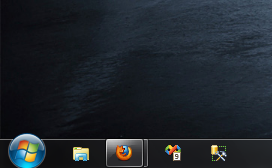
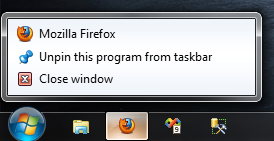
A photo says more than 100 words. Microsoft removes (by default - you can enable them again) the text standing next to each application that is opened. By default, they have the size of the start button, but you can make them even smaller. When active, a nice border surrounds them and you can even see if you have more instances of the application open.

Pin Icons
Pin Icons

In the previous versions of Windows, they called it "shortcut icons". Now, they call it "Pinning Icons". You can pin loads of stuff there - applications, but also files. This allows you to quick start anything you like with ease!

Preview Windows
Preview Windows

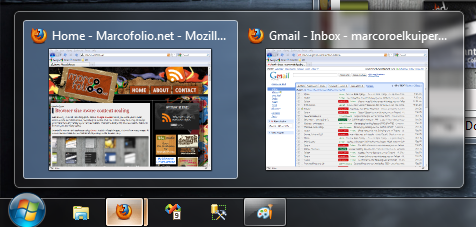
I don't really use this feature (since I prefer ctrl+tab), but it does look pretty nifty - preview windows. When you have multiple instances of one application open, you might get lost in track which one you need. Preview Windows solves this to show a little preview of the window. Just select the one you want to use and you're ready to go!

Better taskbar options
taskbar

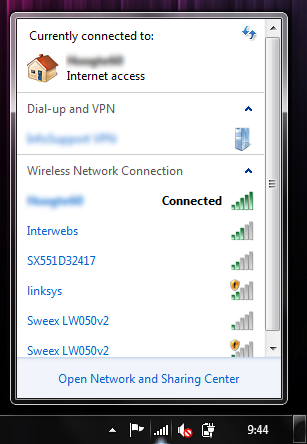
When I bought my first Mac, I was really stunned on how intuitive everything worked. Click on the battery to see the power options, click on the wireless icon to see the network options etc. Microsoft has looked at this approach and made changes to their OS too. The result is great - it's way more user friendly than it was before.

Snipping
Snipping

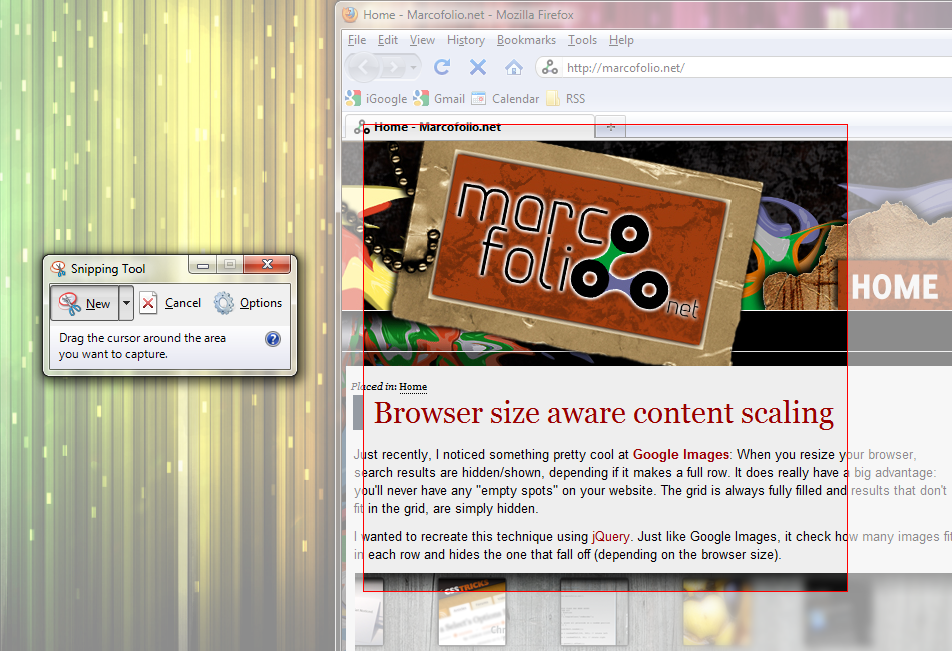
Do you also make a print screen using the prtn scrn button and place it in Paint? With the Snipping Tool from Windows 7, you don't need it anymore. Simply start the application and select the area you want a print screen of. Blam - save the file and you're done!

Sticky Notes

Sticky Notes

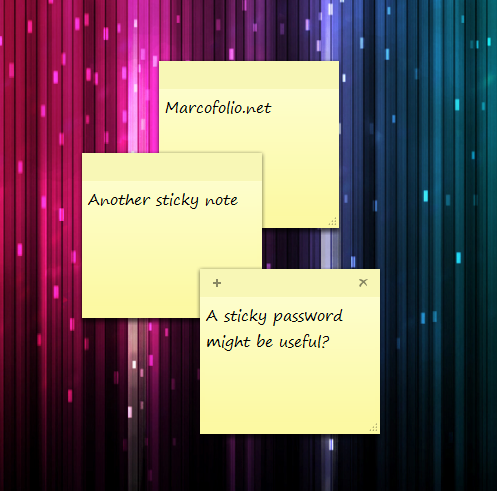
The famous yellow sticky note that you would stick on your screen to save your passwords. Now - fully digital and integrated in Windows 7!

WordPad
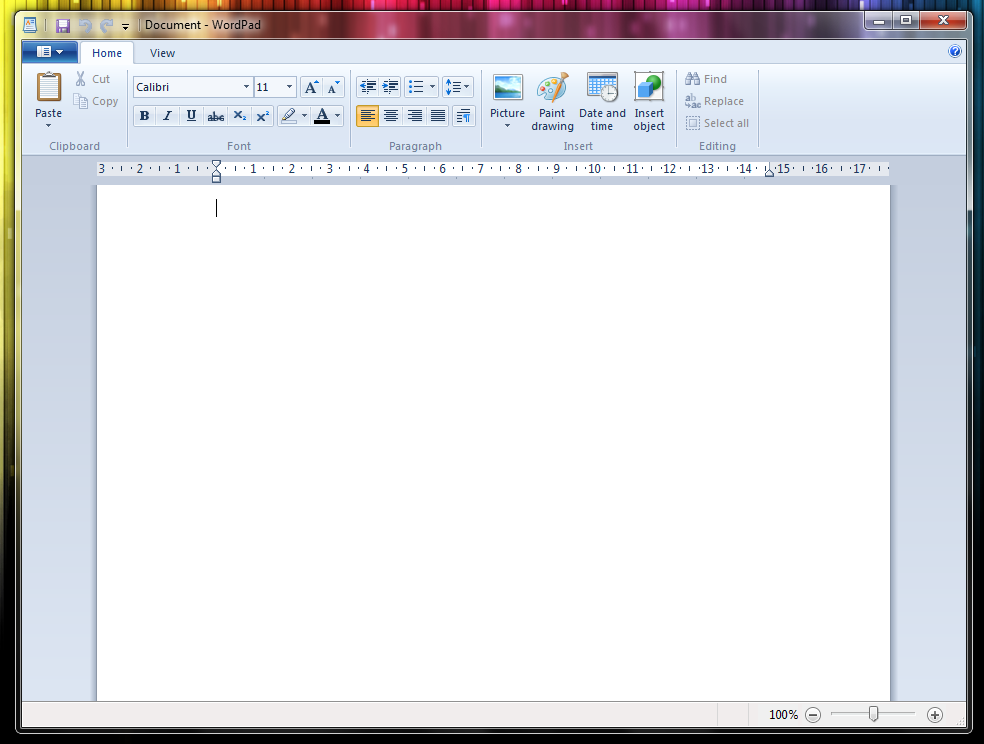
WordPad

Just like Paint and Calculator, WordPad has been put into a new dress. It looks a lot more like it's bigger brother (MS Word). Although it nearly doesn't have all the features Word does, WordPad (which comes with all Windows version) has been made more beautiful than before.

Personalized Themes
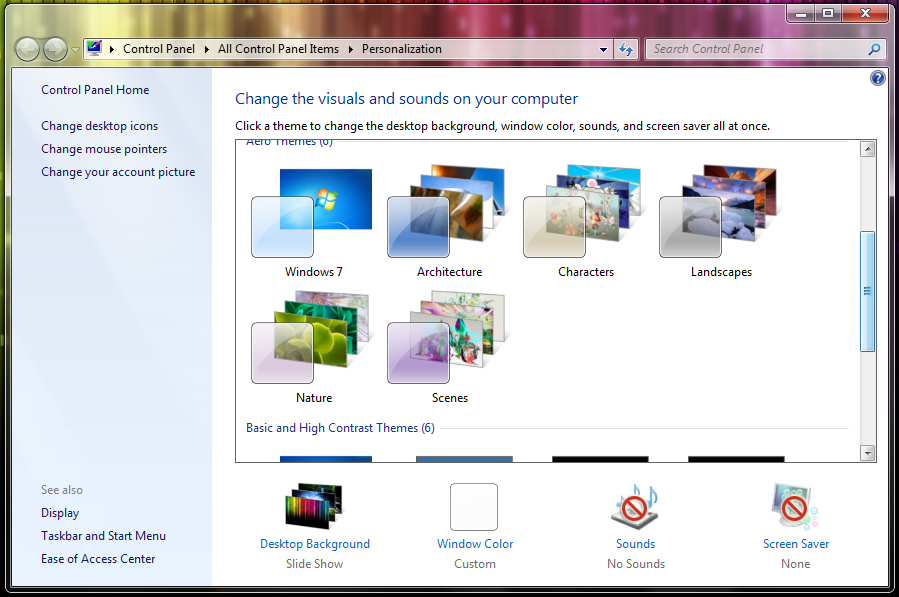
Themes

The thememing system brings most of the new UI features to one place. Select which sounds you want to use, which screensaver and desktop background etc. All in one, logical place.

Do you own Windows 7 already? If so, what do you think are the best (UI) improvements Microsoft made? And if you don't own 7, why not? Feel free to share.


Tags:  windows 7 user interface improvement microsoft

Interested in this topic? You might enjoy another article I've written called

Did you like this article? Subscribe to my feed or email to keep updated on new articles.

Spread the word and submit to:
Digg!Reddit!Del.icio.us!Facebook!StumbleUpon!
Comments
Add NewSearchRSS
Robin - Vista things   2009-11-02 11:50:58
Gravatar image Indeed, like you said yourself, there are some thing that aren't new in Win7.

For you info:
Snipping was introduced in Windows Vista
Sticky notes was introduced in Windows Vista

And probably some other stuff to but these two I know for sure (it has been a while since I last used Windows, I'm a Mac user too).

And by the way, I am aware of your disclaimer ;-) It's just for your info.

I have a little disclaimer myself: I've only used Windows Vista Ultimate so maybe some of these features are new in the Premium version?
Robin   2009-11-02 11:53:32
Gravatar image Oh by the way I didn't answer your question (an edit button would be nice..)

I don't own Windows 7 yet because I do not have enough harddisk space in my Macbook (250GB) after I've put some HD movies on it ;-)
Although I do want to test it sometime..
Marco - Thanks for that Robin!   2009-11-02 12:51:02
Gravatar image Thanks a lot for your comment and feedback Robin! I really didn't know those features were already added in Windows Vista :) . I use Windows 7 on my business laptop - my personal laptop is also a MacBook pro :) .

Like I said in the article, I have to admit that Microsoft is making some true progress with some of the (new?) stuff in Windows 7.
Robin   2009-11-02 17:20:58
Gravatar image They are making progress indeed. Although a critic Apple fanboy could say they copied some features from Mac OSX, it's still a good OS to work with I guess.

I'll give it a try later this month.

By the way.. you should really implement a "edit comment" function. Maybe just like Ning.com; after 15 minutes you can't edit your comment anymore.
Marco - Right again   2009-11-02 20:03:03
Gravatar image I know - you're right again. Sadly, I really want to make loads of improvements to my site (that being one of them), but I simply don't have the time to do it all. I would rather spend my time writing high quality articles than adding extra functionality to my site.

On the other hand - extra functionality will raise the quality of this blog overall too. Nah - we'll see ;).

Thanks for your comments!
Drew Douglass   2009-11-02 19:47:14
Gravatar image Nice, in depth article Marco! I've never been a huge Windows fan, but I can appreciate the work Windows 7 has done. Personally, I run all 3 major OS when I need them, and wouldn't have it any other way. Keep up the great articles!
Marco   2009-11-02 20:04:43
Gravatar image With "3", you mean Windows, OSX and Ubuntu?

Thanks for the comment mate :) !
Pascal   2009-11-02 22:45:15
Gravatar image I m still using xp because i dont like vista but i think i m not the only one who thought of vista as a crippled version of xp with some new (ugly) design changes

But 7 looks quite interesting but i will wait because my xp does everything i want it to do ;)

And by the way: is there a functionality in 7 to use own styling of the windows, for example like xp (not the basic theme or the classic design)? Personally i don't like the aero theme because of the position of the menu etc, more like in the way it is done in xp or in your screenshots with paint
Marcel Hadorn - Copy Machines   2009-11-06 04:55:41
Gravatar image Well i think that design (same as Vista) is so much over shiny, looks like some kids Interface, and well, "Copier"... Thats fun, every feauture i think is cool, is a deja vu from mac with the Tiger or Leopard release.

Examples:
Dock /Icons -> OSX (when was the first version of OSX release? 7 years ago?)
Snipping -> OSX cmd-shift-4, always there no app needed.
Sticky Notes -> Yeah i think they're there since OSX exists even OS9?
Aero Shake -> oh that finally exist too? ok in OSX you don't have to shake it like a fool.
The whole Aero thing! -> Expose since what, was it panther? 5 years minimum.
...and so on

But yeah it cool new features, just 5 years late ;) but it's ok, i think most ppl will fear to upgrade from XP, bugs and so, you know what i mean, waiting for SP2 or maybe Windows 8... Did i said that one week after release i upgraded to snow leo?

Ah and there is the price. Kind expensive comparing it with Mac huh?

But i'm happy for all the Windows Users that they probably will use that over cooked candy GUI.

@Pascal, Vist was ugly you say? 7 looks pretty much the same when i look at thos pictures!

Cheers :evil:
Marco - Yup   2009-11-08 09:21:08
Gravatar image Hi Marcel! First off, thanks for your comment.

You're totally right. I see many "copied" stuff from OSX in the new Windows. Sadly, some awesome stuff (like "Multi Desktop";) isn't integrated in Windows yet.

But yeah - the folks that have never worked with OSX before will probably be very impressed by all the "new" features :) .
Chromelon - ...   2012-04-04 15:50:25
Gravatar image Actually, if you don't have vanilla Windows, you can do everything a mac does, and some stuff it can't do. So, yeah Macs are overpriced and have nothing to bring to the table that Windows can't handle.
Chromelon   2012-04-04 15:53:29
Gravatar image Actually, windows is a LOT cheaper then Mac if you build your own software, and windows has a lot more stuff then Mac if you have 3rd party software like me. I mean, you can get that stuff on Mac, but you're still paying too much for it.
Michael Martin   2009-11-13 14:12:10
Gravatar image I'm loving Win7 so far as well! The taskbar is just a gem. Every little feature from the previews, to the menus, to logging into a network from it, it's all perfect.

Even the little touches like the hover color as you run your cursor over an icon make it so much more pleasant than previous Windows taskbars have been! :)
Jose Gonzalez - Graphic Designer   2009-12-14 17:05:21
Gravatar image There's another cool feature that windows 7 has. It's called the page flip or document flip. Slimpy press the window button and the tab button. U can scroll between them either with your mouse or with the left or right keyboard. Enjoy!!!!
andresumana - Win 7 means productivity   2010-04-08 02:16:27
Gravatar image Here in my desktop (the real one) i have a I7 920 made by me running w7 and a 2.5 ghz Power Mac and guys the Productivity you found designing in windows 7 cant be matched in osx... the osx looks nice and beautifull but the way windows handles aplications, they way you browse, you preview, you search, dont match in productivity... i have to use adobe BR to make the system do what windows does alone.

You can love apple but you cant say aero is the same in osx than in windows 7 aero is inteligent osx just sucks and if you move rapidly your mouse you will see your desktop. the window preview is just amazing when you design websites.

So i dont buy the old story about windows copy that cuz realy it doesnt matter wen we talk about productivity and making what we love most (designing) a pleasnt thing
best pharmacy stores online - best pharmacy stores online   2011-06-09 10:58:41
Gravatar image I enjoy reading the post and have become a great fan of yours. Keep up with the good job and please provide us with great blogs. I really appreciate the research you people take for the posts.
online birth control pills gui - online birth control pills guide   2011-06-09 10:59:25
Gravatar image It was perfect collection of such useful information. This was a helpful post foe me. Thanks for sharing such nice information. Thanks a lot!
drug store blog - drug store blog   2011-06-09 11:00:46
Gravatar image I was a great experience to read your post. I found your site from Google and thank a lot for this nice and wonderful information. The information posted was useful and interesting.
pharmacy departments - pharmacy departments   2011-06-09 11:01:19
Gravatar image Thanks a lot for such a wonderful post, the stuff posted were really interesting and useful. The quality of the content was good and clear. Thanks for the post
best drugs pharmacy spot - best drugs pharmacy spot   2011-06-09 11:01:53
Gravatar image I appreciate the ideas posted on your site; they were very informative and innovative. It was worth visiting your site. Thanks a lot for such valuable information.
drug store data - drug store data   2011-06-09 11:02:27
Gravatar image It is amazing to such useful information at one place. I was looking for the same information from a long time, at last I found it. Thanks for such innovative and amazing information.
online store pharmacytips - online store pharmacytips   2011-06-09 11:03:05
Gravatar image I was very pleased to visit your site; I was definitely a wonderful site. The post was worth reading. I enjoyed each bit of your post. Thanks for such excellent post.
online diabetes pills - online diabetes pills   2011-06-09 11:04:13
Gravatar image I recently came across your blog and have been reading along. I have no words except to say that I have enjoyed reading. Nice blog. I will keep visiting this blog very often.
best secure weight loss tips o - best secure weight loss tips online   2011-06-09 11:05:24
Gravatar image I am extremely happy to write a comment on this blog. The information provided on the site was very informative and useful. Thanks a lot for such needy and innovative ideas and concepts.
retail pharmacy spot - retail pharmacy spot   2011-06-09 11:09:08
Gravatar image Wonderful post. I like the way it is written and presented. I have book marked the site for my future reference.
online pharmacy store usa - online pharmacy store usa   2011-06-09 11:10:01
Gravatar image Nice blog and the article are simply superb. The article posted was very informative and useful. You people are doing a great job. Keep going.
retail drug store club - retail drug store club   2011-06-09 11:10:37
Gravatar image I had logged onto this site very recently and found it to be very useful and informative. Each and every concept was well presented. Thanks a lot for the information.
rajendra - WebHostingPad   2011-08-02 10:23:36
Gravatar image Nice posts are providing the nice info in this blog that to interesting info is providing in this website. I had really like it very much for display the nice info in this blog. This is very much interesting info in this blog and nice technology is visible in this blog. The total info is visible in this blog and the great service in this blog. Thanks a lot for sharing the nice info in this blog.
Chromelon - I don't want to start an argument, but...   2012-04-04 15:47:16
Gravatar image I don't really think Mac's features are worth it now because Win 7 has cheaper hardware and now you can get all the features of Mac OSX with Win 7, plus the fact that Apple products are WAY overpriced.
Read more...
Name:
Email:
  Gravatar enabled.
Website:
Title:
UBBCode:
[b] [i] [u] [url] [quote] [code] [img] 
 
 
:angry::0:confused::cheer:B):evil::silly::dry::lol::kiss::D:pinch:
:(:shock::X:side::):P:unsure::woohoo::huh::whistle:;):s
:!::?::idea::arrow:
 
Security Image
Please input the anti-spam code that you can read in the image.
Unsubscribe from e-mail notifications.
 
< Prev   Next >
Subscribe

Subscribe to Marcofolio