Home
How to create a favicon for your website

Many sites on the net now add a Favicon to their website. It's a small image next to the browsers address bar that indicates your website. It's especially useful when your site gets bookmarked, because the favicon will show in the bookmarklist of your guest.

If you ever wondered how to add such an icon to your website, read about it here.
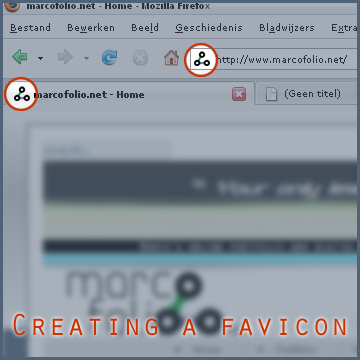
Create Favicon

First, you'll have to create an ICO file. There are several options you can use to create one. Just choose one to create the file.

  • If you have Adobe Photoshop, you can use this ICO plugin for Photoshop. Download the ICO (Windows Icon) Format and extract the ZIP-archive. Next, put the plug-in called ICOFormat.8bi in the following directory;
    C:\Program Files\Adobe\Adobe Photoshop CS3\Plug-Ins\File Formats\
    Now start up Photoshop and create a new file with the width and height of 16 x 16 pixels.
    Unleash your designing skills to create the Favicon and when you're done, go to "File", "Save as..." (Shift + Ctrl + S).
    Name your file "favicon.ico" and set the format to "ICO (Windows Icon) (*.ICO)".
  • Download MicroAngelo, Make-Icon or any other program that'll let you create ICO files (*NOTE*: You'll have to buy these programs).
  • Go to this website where you can upload an image and let the website create an ICO for you. Save this *.ICO file to your local harddisk.

Next, when you have your favicon.ico file, put it in your website root (same folder where your index-page is located). Now edit the content of that index-page in your favorite editor.

  • In the HEAD section of your index-page (between <HEAD>...</HEAD>), put the following HTML code:
    <LINK REL="SHORTCUT ICON" HREF="favicon.ico"/>

That's all! Make sure you update your index-page on your host and there you have it; your very own favicon on your website.

*Overall note:* The ICO file extention format was normally used by Internet Explorer 6. With modern browsers, you can also use PNG and GIF, but if you want to be sure it'll work, just use the ICO extension.


Tags:  How to favicon programming webdesign

Interested in this topic? You might enjoy another article I've written called

Did you like this article? Subscribe to my feed or email to keep updated on new articles.

Spread the word and submit to:
Reddit!Del.icio.us!Facebook!Technorati!StumbleUpon!Newsvine!Furl!Ma.gnolia!
Comments
Add NewSearchRSS
Dane H - I am amazed   | 70.16.111.xxx | 2007-11-12 16:37:24
Gravatar image Marco,
You are amazing with the helpful code and tips. Keep up the great work!
Dane H
http://hiddenhillsnursery.com
Dane H - Tip for adding favicon   | 216.246.143.xxx | 2007-11-14 01:40:45
Gravatar image Hi Marco,
After creating an icon, renaming it and placing the proper code in my web page code and then placing the icon and new html pages on my server, the icon would not show up. After fooling around awhile, I renamed my file favicon1.ico, made the proper adjustment to my code, and WALA, it worked. Not sure why, but favicon.ico just would not work. Just figured I would pass it along if people are having a hard time getting theirs to work.

Dane H
http://hiddenhillsnursery.com
Marco - Cache favicon   | 62.194.187.xxx | 2007-11-14 08:15:59
Gravatar image Hello Dane,

Thank you for your tip! Although it does work, I don't think it's the correct approach.

Favicon.ico are normally stored in the cache of your website. Making it work for you, means you have to reload the .ico itself.

To do so, go to your .ico file on your webpage.
Quote:
Example:
http://www.marcofolio.net/images/favicon.ico

Then reload the .ico file (Ctrl+R or F5). Now the new favicon.ico will show up.

When going back to the "main page", your favicon should display correct.

Still, your technique will work too, thanks for sharing.

Greetings,
Marco
Seth   | 65.30.110.xxx | 2008-02-06 01:36:28
Gravatar image This is not working for me! My website is www.funkynacho.com, I use freewebs to make it, and my favicon i'm trying to use is Posted image (P.S. If it doesn't show its suppose to be a nacho. Could you help me out?
Marco - HEAD   | 77.249.210.xxx | 2008-02-06 08:58:34
Gravatar image I now see a white "F" displaying on a red background.

You should place the "LINK REL" in the "HEAD" section of your website.

Good luck!
KateBB - Where's ICO?   | 67.101.193.xxx | 2008-04-30 21:06:51
Gravatar image I downloaded the .ico plug-in and it shows up fine in the Photoshop Elements directory -- but the program is not giving me the .ico option to save.
Marco - Size of the file   | 62.194.187.xxx | 2008-05-01 10:33:58
Gravatar image Are you sure you created a 16x16 px file and using all default settings? If it's larger, the .ICO extension will not display.
KateBB   | 67.100.55.xxx | 2008-05-01 15:19:34
Gravatar image Yep, 16 x 16, very teeny.
Marco - Contact me   | 62.194.187.xxx | 2008-05-01 16:19:26
Gravatar image Could you contact me using the contact form? I'll try to give you support over there.
Read more...
Name:
Email:
  Gravatar enabled.
Website:
Title:
UBBCode:
[b] [i] [u] [url] [quote] [code] [img] 
 
 
:angry::0:confused::cheer:B):evil::silly::dry::lol::kiss::D:pinch:
:(:shock::X:side::):P:unsure::woohoo::huh::whistle:;):s
:!::?::idea::arrow:
 
Security Image
Please input the anti-spam code that you can read in the image.
Unsubscribe from e-mail notifications.
 
< Prev
Subscribe
Navigation
Search
Search:
          
Sponsors


Blogrush