
Time for yet another jQuery quickie! These relatively simple jQuery tutorials will show you a simple, yet beautiful effect making use of jQuery. This way, you can learn and create something very cool at the same time.
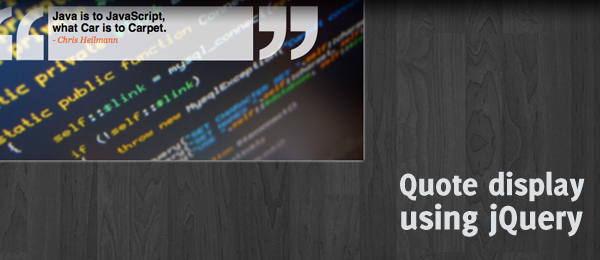
A couple of days ago, I saw a commercial on TV showing some quotes from people displayed in boxes. I wanted to take that concept, and bring it to the web using my favorite JavaScript framework. Today, we’ll learn how to create a smooth animated quote display for you to use!
Simply check out the demo to see what we’re going to create. Download the source code to learn how it works, or read the tutorial for more explanation.
Sadly, fonts will render different in several browsers. I’ve tested this script (and made it working for) on Firefox, Chrome and Safari (even the iPhone displays it correct). Other browsers aren’t tested, but the video below also shows how the animation should look like.
Ready to take a look at how this example works? Let’s dive under the hood!
Video
Here’s a video of the quickie, showing off the effect (as it should look like) in Firefox.
Now let’s see how we can create this!
The idea
It always starts with a little idea. Here’s a sketch of what I was thinking of creating.

Seems reasonable, right?
HTML
Alright, we’ll start with the backbone of our page: The HTML. This is what I came up with.
<div id="quotebox">
<p class="quotemark leftquote">‘‘</p>
<div class="quote"></div>
<p class="quotemark rightquote">’’</p>
</div>
Take note of the classes and ID’s used – they’ll be referenced by the CSS/JavaScript later on. The .quote will get the content injected by jQuery.
I’ve made use of the single quote (‘) instead of the double quote ("), because I can place them tighter to each other using the CSS. Since we enlarge the two quotes to a huge size, the spaces between them when using a double quote would be huge as well. But by using the single quote and some CSS, we can still place them closer to each other.
CSS
Since we’re already talking about CSS, here’s the most important part:
.quote { display:none; float:left; height:69px; }
.quotemark { display:none; float:left;
   font:bold 300px Helvetica; letter-spacing:-35px; line-height:300px; }
As you can see, we set the letter-spacing to a negative value to place the quotes a lot closer to each other. Take note of the display : none: it’ll be un-hidden by jQuery.
So far, not many advaced features are shown. The real magic is taking place in the jQuery parts, so let’s dive into that!
jQuery
So let’s dive into the jQuery part, step by step. I’ve added comments in the source code to explain what it does. First, I’ve defined some variabled to easy change the behaviour of the script.
// Speed of the quotation marks to show
var quoteSpeed = 500;

// Speed of the quote container to expand
var quoteContainerSpeed = 1000;

// Time the quote will be visible
var showQuoteSpeed = 5000;

// Time the screen will be empty
var cleanScreenSpeed = 500;

// Width of the quote box
// Would be cool to automatically grow to the containing text size in the future.
var quoteBoxWidth = "300px";

// The quotes we'll show
var quotes = [ {
      "quote" : "Java is to JavaScript,<br />what Car is to Carpet.",
      "author" : "- Chris Heilmann"
   }, {
      "quote" : "Computers are good at following instructions, but not at<br />reading your mind.",
      "author" : "- Donald Knuth"
   }, {
      "quote" : "Copy and paste<br />is a design error.",
      "author" : "- David Parnas"
   }, {
      "quote" : "If you make everything bold,<br />nothing is bold.",
      "author" : "- Art Webb"
   }, {
      "quote" : "Technical skill is mastery of complexity, while creativity is mastery of simplicity.",
      "author" : "- Christopher Zeeman"
   }, {
      "quote" : "First, solve the problem. Then, write the code.",
      "author" : "- John Johnson"
   }
];

// The quote index to start with
var currentQuoteIndex = 4;
As you can see, all these values can be changes easily. We can also add quotes to the quotes variable. The currentQuoteIndex is set to 4, but that could be any value (less than the length of the quotes object).
Now, when the document is ready, we need to start the animation. I’ve placed this in a seperate method call, since we’ll need to re-use it later.
// Document ready
$(document).ready(function()
{
   startAnimation();
});

/* Starts the animation */
var startAnimation = function() {
   setTimeout(function() {
      showLeftQuote();
   }, quoteSpeed);
}
We’re going to chain function calls in order to make the script work. As you can see, we call the showLeftQuote function after the configured time. By chaning functions after a set time, we can execute the function at the right moment..
/* Shows left quote */
var showLeftQuote = function() {
   $(".leftquote").show();

   setTimeout(function() {
      showRightQuote();
   }, quoteSpeed);
};

/* Shows right quote */
var showRightQuote = function() {
   $(".rightquote").show();

   setTimeout(function() {
      showQuoteContainer();
   }, quoteSpeed);
};
Now we have the left, and the right quotation marks showing. Now to expand the quote box.
/* Shows the quote container */
var showQuoteContainer = function() {
   $("<p />")
      .html(quotes[currentQuoteIndex].quote)
      .css({ "display" : "none"})
      .appendTo($(".quote"));

   $("<p />")
      .addClass("author")
      .html(quotes[currentQuoteIndex].author)
      .css({ "display" : "none"})
      .appendTo($(".quote"));

   $(".quote")
      .show()
      .animate({ width : quoteBoxWidth }, quoteContainerSpeed, function() {
         showQuote();
      });
}
We also inject the quote container with the current quote index text (the same with the author). We than expand the width of the quote box, and when the animation is done, we show the quote.
/* Shows the current quote */
var showQuote = function() {
   $(".quote").children().fadeIn();

   setTimeout(function() {
      clearQuote();
   }, showQuoteSpeed);
}
Just a simple Fade In, and both the quote and the author are being displayed! The last step of this loop is to clear the current quote, and start all over again.
/* Clear the current quote */
var clearQuote = function() {
   // Determine the curren quote index
   if(currentQuoteIndex == quotes.length - 1) {
      currentQuoteIndex = 0;
   }
   else {
      currentQuoteIndex++;
   }

   // Fade out the quotation marks
   $(".quotemark").fadeOut();

      $(".quote")
         .empty()
         .css({ width : "0px" });

      setTimeout(function() {
         startAnimation();
      }, cleanScreenSpeed);
   });
}
Since we set the correct currentQuoteIndex, this whole loop can start all over again with the next quote etc. It’s pretty simple when you think about it!
Conclusion and Download
There we have it, a pretty cool way of displaying your quotes. As you can see in the comments, it would be great (in the future) to automatically resize to the width the text needs. Also, it might need more testing in other browsers, since fonts are always different rendered there.
What do you think? Would you like to see some changes to the effect? Or what kind of jQuery coding would you use (for example, use less setTimout)? Feel free to share!