Placed in: Home comprar viagra en españa
comprar viagra online
comprar viagra generico barato
comprar cialis generico online
comprar cialis online seguro
comprar viagra online
comprar viagra generico barato
comprar cialis generico online
comprar cialis online seguro
| A parallax illusion with CSS: The Horse in Motion |
|
Time for some fun with CSS and optical illusions. For those people that are feed subscribers for a while, will know that I really love optical illusions. I already wrote several articles with optical illusions (15 cool word illusions, Illusion of a 3D dragon and more), and now it's time to create one myself with the help of CSS. One of the optical illusion video's that I saw a while ago, was the example of the book called Magic Moving Images. The video clearly explains how this optical illusion works and I really liked it. 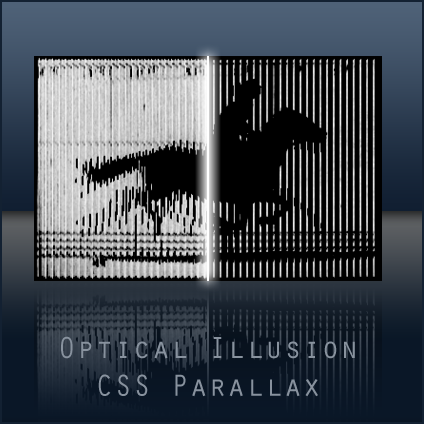 I wanted to recreate the effect of the illusion with the help of parallax and CSS. Chris Coyier wrote an article about Starry Night: Incredible 3D Background Effect with Parallax. This was the foundation of the effect of an optical illusion. Check out the demo page with can be created by combining those two awesome techniques. First you'll need to find a motion silhouette. I really loved these race horse silhouettes, but I don't have an iStockPhoto account. So I went for an older image from Eadweard Muybridge called The Horse in Motion. After some Photoshop work, this was the image I ended up with. 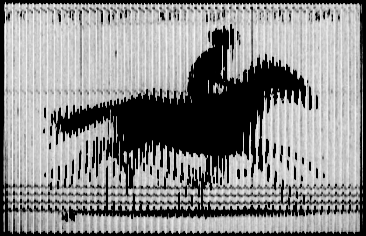 Next, I created the see-through front like in the video myself using Photoshop. With the help of the article from Chris, I was able to create this nice optical illusion. To learn the CSS behind this, I recommend to read that article. Download You can download the images and CSS file for this optical illusion in the download section. This packages contains the source files used in my demo. Conclusion Although this effect isn't perfect (yet) as in the book Magic Moving Images, it's still is pretty nice to see. I'll write a (Photoshop) tutorial on how to create such an background image yourself to re-create the effect with your own images in a couple of days. Update You can now learn how to create your own CSS parallax illusion 3d image. Tags: css optical illusion horse motion fun Interested in this topic? You might enjoy another article I've written called |


| < Prev | Next > |
|---|
| Search |
|---|
| Or try the sitemap |
Friends of Marcofolio.net
 2007 - 2018 Marcofolio.net
This (we)blog brings you information about (web)design, blogging tips, (programming) tutorials and much, much more. I can't describe Marcofolio.net in words: Just look around and be amazed. Many (new) visitors have a habit to stick around, just because of the variety of articles.
Have fun reading this blog and don't forget to subscribe to the feed to keep updated on the latest articles.